Free local image generation for Claude Code and MCP clients
Most image MCP servers forward your prompt to a paid cloud API. Kokon's runs Qwen-Image 2.1 on your own GPU: no API key, no cost per image, nothing uploaded.
my-website
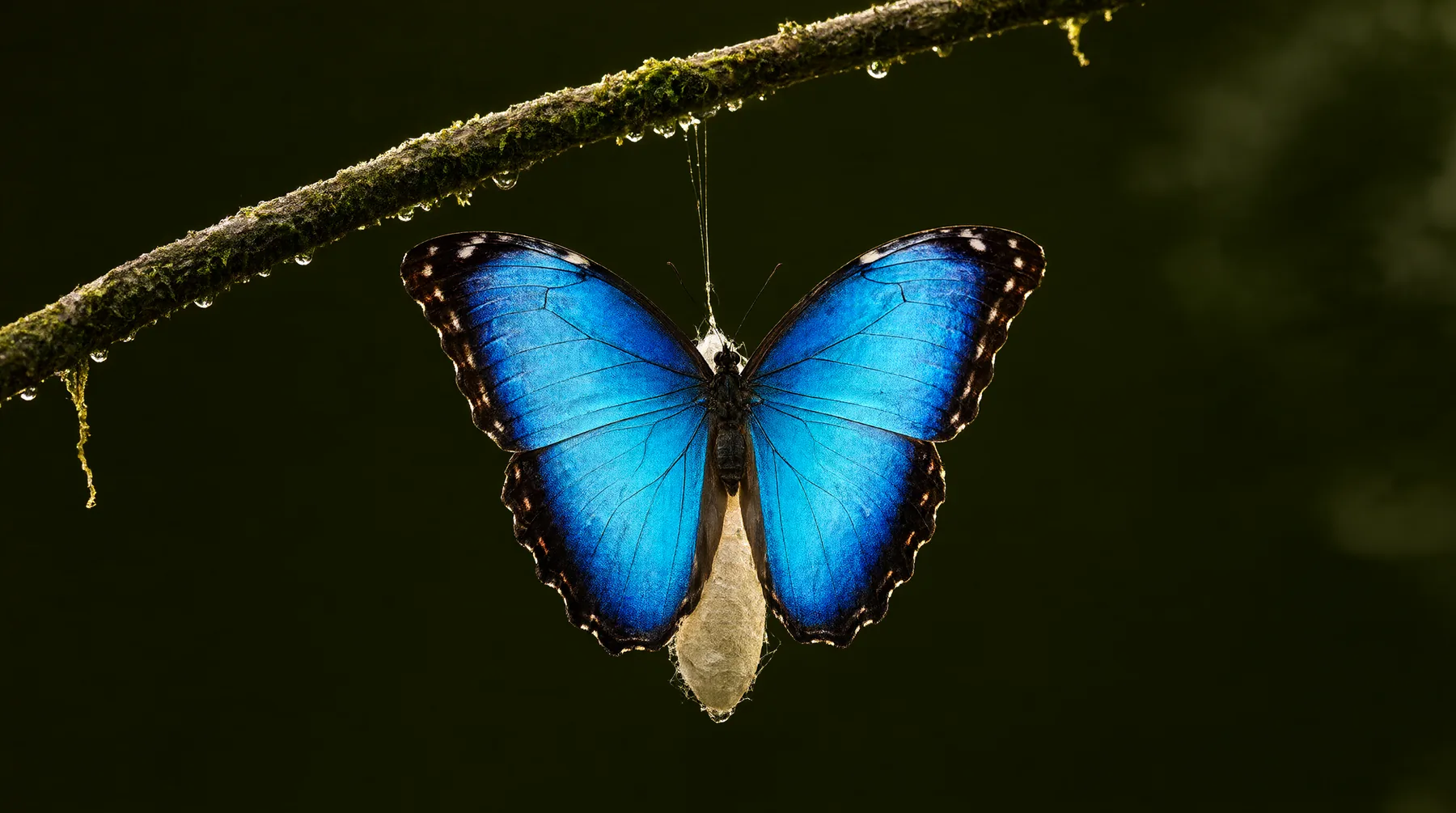
> Make a hero image for my landing page: a blue morpho butterfly on a silk cocoon, 16:9
● kokon · generate_image
aspect_ratio: "16:9" · quality: "quality"
⎿ Saved public/hero.png · 2752×1536 · 39 s
What your agent can do
| Tool | What it does |
|---|---|
generate_image | Create an image from a prompt; aspect ratio from the prompt ("16:9 hero") or explicit |
edit_image | Edit a photo with an instruction, keeping its size |
edit_images | Combine several images ("put the product from image 1 on the table in image 2") |
inpaint_image | Change only a masked area: edit, remove, replace or add |
outpaint_image | Extend an image beyond its borders, in pixels or percent |
upscale_image | Enlarge up to 8192 px |
get_image_info | Size, format and the generation metadata of an image |
get_generator_status | GPU, VRAM, whether the model is loaded, the queue |
Set it up
Install Kokon and run its first-time setup once (it downloads the model). Then register the MCP server.
Claude Code on Windows
claude mcp add --scope user kokon -- "$env:LOCALAPPDATA\Kokon\kokon-mcp.exe"Claude Code on Mac
claude mcp add --scope user kokon -- /Applications/Kokon.app/Contents/MacOS/kokon-mcpCursor and other MCP hosts
Any host that takes the standard JSON config (on a Mac the command is /Applications/Kokon.app/Contents/MacOS/kokon-mcp):
{
  "mcpServers": {
    "kokon": {
      "type": "stdio",
      "command": "C:\\Users\\<you>\\AppData\\Local\\Kokon\\kokon-mcp.exe",
      "args": []
    }
  }
}
The desktop app does not need to be open: the server starts the engine on demand. The first call takes about a minute while the model loads.
Prompts to try
- "Generate a 16:9 hero image for this README and save it in docs/"
- "Remove the background clutter from screenshot.png"
- "Make three product shots of assets/mug.png: marble counter, wooden desk, outdoor café"
- "Extend banner.png to 21:9, continuing the sky"
- "Create an app icon, a flat orange fox on a dark background, 1:1"
Safe by default
- Reads and writes are limited to the project folder, Kokon's output folder and folders you allow with
QLS_MCP_ALLOWED_DIRS. Existing files are never overwritten. - Images stay on disk; the tool returns their path, size, seed and metadata. A small preview goes back to the model only when it asks for one (
include_preview). - Everything runs on
127.0.0.1. No account, no telemetry, no prompts in the logs.
Requirements
A Windows PC with a 12 GB NVIDIA, AMD or Intel Arc GPU, or an Apple Silicon Mac (32 GB recommended). On an RTX 5070 Ti a new image takes 22 to 46 s and an edit 25 to 55 s. Details in the setup guide.